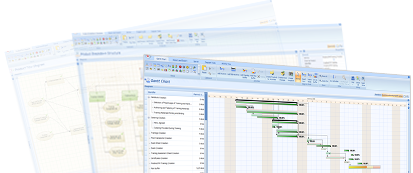
The trial version of P2ware Planner 2011 is a P2ware Planner Professional. The only difference between a trial and full version is that the trial version is valid 30 days from the activation date and full, purchased version does not expire. After the trial period ends, you will be still able to open your plans in the read-only mode with P2ware Planner Viewer which is installed together with every Planner 2011 installation. After you purchase your licence for Planner 2011, you may easily activate the software. The software activated using the purchased key does not expire.
Try P2ware Planner 2011 for free
To try P2ware Planner 2011 software on your computer, please download P2ware Planner 2011 by clicking the Step 1 button. Next send a request for an activation key (serial number) by clicking the Step 2 button and filling in the request form. Requested activation key will be sent via e-mail.
The trial version is a P2ware Planner Professional which can be used up to 30 days from the activation date. After this period you will be still able to open your plans with a P2ware Planner Viewer, which is installed together with P2ware Planner 2011 and doesn’t require any activation.
Please note: Full, purchased licenses are valid without any time restrictions.
P2ware Planner 2011 requires Microsoft® .NET Framework 4.0.
What is the difference between trial and full P2ware Planner version
System requirements (desktop versions)
P2ware Planner 2011 requires Microsoft® .NET Framework 4.0.
System requirements
- Operating system: Microsoft Windows XP, Vista or 7
- Processor: Intel Core or faster (or compatible)
- Min. 1 GB of RAM, 2 GB and more are recommended
- Min. 200 MB free on your hard disk
Upgrade to higher versions
When upgrading your software to higher version of P2ware Planner 2011 please use the same installation file. To upgrade your P2ware Planner: launch the application, click P2ware Planner Suite button (upper left corner) and select Activate option. You will be asked to enter a new activation key (a serial number). After completing steps of the activation wizard, you will be able to use upgraded version of P2ware Planner.
Download P2ware Planner Viewer 2011
To download P2ware Planner Viewer please use the hyperlink Download P2ware Planner 2011. Planner Viewer is installed with a regular version of the application and is available in every installation of Planner 2011. After an installation please go to Start Menu of your operating system and find P2ware Planner 2011 Viewer. The application is available for free and does not require any activation or registration. It is used to browse P2ware Planner plan files in the read-only mode by people not having full licences.