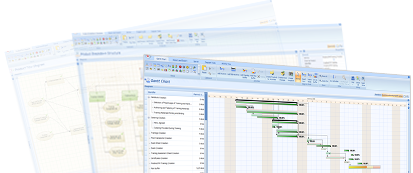
The video presents how to make a plan using product-based planning technique required by PRINCE2® and compliant with PMI® PMBOK®.
This site contains short video materials presenting P2ware applications. Videos present both fundamentals of application use, how to create and control plans as well as advanced issues, e.g. plan template customisation by adding properties and formulas. You can download each video separately or download all videos as one .zip file.
Please note: videos on this page contain materials presenting P2ware Planner 2011 and other P2ware software. Most of the presentations and ideas are valid. Newer version will be published soon.
How to make a plan quickly and easily?
Other videos
| Title | Short description | File size |
| Download all videos | All available videos in one .zip file | 164 MB |
| P2ware applications | An introduction to P2ware applications. This video presents key information and features of P2ware software. | 13 MB |
| P2ware applications User Interface Overview | An overview of P2ware software user interface, selected views. | 34 MB |
| Product-based Planning Technique | A short theoretical introduction to the product-based planning technique | 5 MB |
| Creating Product Breakdown Structure | How to create a product breakdown structure in P2ware desktop applications | 6 MB |
| Products Description | How to describe products in P2ware desktop applications | 7 MB |
| Product Flow Diagram | How to create a product flow diagram, add successors, predecessors and edit a delivery sequence of products | 15 MB |
| Gantt Chart | How to work with Gantt Chart in P2ware desktop applications, to add activities and sub-activities, to connect and disconnect them, and to change their order and durations | 6 MB |
| Activity Network Diagram | Activity Network view in P2ware desktop applications. How to analyse it and use available tools | 13 MB |
| Effective use of diagrams and its tools | Diagram tools available for selected diagrams in P2ware desktop applications: Product Breakdown Structure, Product Flow Diagram, Gantt Chart and Activity Network | 15 MB |
| Logs and Registers | Logs and registers available in P2ware applications: Risk Log, Issue Log, Daily Log and Quality Log | 6 MB |
| Managing Resources | How to manage resources in P2ware applications, to assign them to activities, and to add resource rates and analyse Resource Load diagram | 7 MB |
| Reports in P2ware applications | Reporting options in P2ware desktop applications, how to generate reports from existing and built-in templates, to edit them and to add own report templates | 33 MB |
| Creating a Plan (overview) | An overview of how to create a plan in P2ware desktop applications | 10 MB |
| Executing a Plan (overview) | An overview of how to execute a plan in P2ware desktop applications | 46 MB |
| Perspectives | Perspectives - one of many productivity enhancing features. How to create and customise perspectives in P2ware desktop applications | 12 MB |
| Table, Tree and Property Grid Tools | Tools enhancing work with tables, trees and property tables available in P2ware desktop applications | 17 MB |
| Adding New Properties and Extending P2ware applications | An introduction to how to extend P2ware applications by adding new properties, formulas and creating plan templates adjusted to company requirements | 23 MB |
| P2ware applications for Enterprises | A short presentation of configuration, customization and integration options of P2ware applications (Planner Server, For PSO, and Enterprise in particular) | 5 MB |
